

What Is Email Verification and Why It Matters in 2026
What Is Email Verification and Why It Matters in 2026

Email verification checks an address before sending to judge whether it's likely deliverable and safe to use, and it doesn't prove the person will read or reply. The familiar advice to check a list and then send misses the important part: a check produces evidence, not permission.
A useful result isn't just a green tick. It tells a sales team what's known, what remains uncertain and which contacts shouldn't enter a campaign.
Table of Contents
What Email Verification Means in Plain Terms
A postal address can be spelt correctly and sit on a real street while nobody lives at that number. Email works much the same way. An address can look right, use a real company domain and still point to a mailbox that no longer exists.
That's the practical answer to what is email verification: it checks beyond appearances. The presence of an @ symbol says little about whether a message can reach its intended recipient.
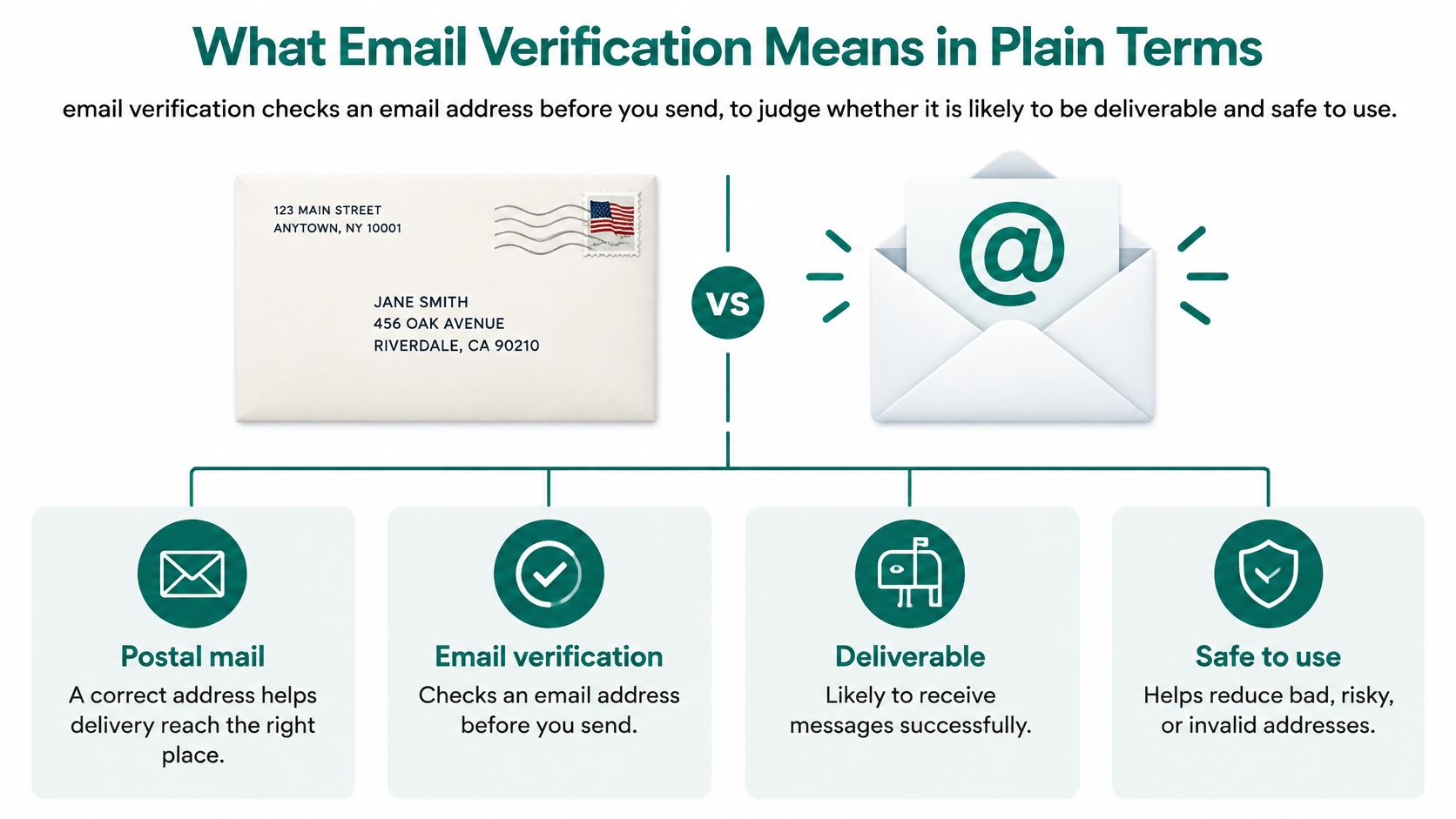
A verifier examines the address's format, its domain, the domain's mail routing and, where permitted, the mailbox itself. The purpose is to keep invalid contacts out of campaigns and separate uncertain records for review.
The scale of that uncertainty matters. A 2026 benchmark citing ZeroBounce reported that at least 23% of more than 11 billion addresses checked during 2025 were invalid or risky, over 9% were catch-all, and only 62% were valid.
Verification and authentication answer different questions
Verification evaluates a recipient address. Authentication helps receiving systems assess whether a sender is authorised and whether a message has been altered or impersonated, using SPF, DKIM and DMARC, a distinction illustrated by the ACM study of email authentication deployment.
An authenticated sender can still target a nonexistent mailbox. Equally, a reachable mailbox can receive poorly authenticated mail.
A useful verification result describes confidence in an address, not confidence in a future conversation.
The practical labels are valid, invalid, catch-all, unknown and risky. Keeping those differences visible is more useful than marking every plausible address as deliverable.
The Checks Behind Every Verification Result
A verifier works through technical layers. Each answers a narrower question than whether the intended decision-maker will receive the message.
- Syntax comes first. The verifier checks the address's structure, including the @ separator, permitted characters and domain portion. A formatting pass isn't a mailbox check.
- Domain and DNS checks follow. The domain must exist and be fully qualified. DNS provides information needed to locate its mail service.
- Mail routing identifies the destination. MX records normally identify the receiving servers. SMTP also permits an A-record fallback where appropriate, so missing MX records alone shouldn't automatically mean invalid.
- Mailbox probing seeks a server response. Where permitted, the verifier opens an SMTP session and asks about the mailbox without sending an ordinary outreach message.
The SMTP specification requires a successful 250 response to VRFY only when the server has verified the address. Many receiving systems restrict mailbox probing, however, so a refused or inconclusive response cannot establish that a mailbox exists.
Verification checks and their limits
| Check | What it tests | What it cannot prove |
|---|---|---|
| Syntax | Format of the address, one @ sign, allowed characters | Whether anyone reads that inbox |
| Domain and DNS | The domain exists and is fully qualified | That the named person still works there |
| Mail routing (MX) | The domain publishes servers that accept mail | Which mailbox exists on that server |
| Mailbox probe (SMTP) | Where permitted, whether the server confirms the mailbox | Anything when the server refuses or hides its answer |
| Role and disposable flags | Shared inboxes such as info@ and throwaway domains | Whether the contact is the right decision-maker |
Additional flags sit alongside these checks. A role inbox can work without belonging to an individual, while a disposable address may disappear quickly. Catch-all behaviour also needs its own label because domain-level acceptance doesn't establish individual mailbox existence.
Passing a technical layer only establishes what that layer tests. Combining the evidence is what makes the final classification useful.
How to Read Each Result Before You Send
A verification result is a confidence label, not a yes-or-no instruction. Even the cleanest result should enter a controlled approval process rather than bypass it.
The distinction between address checks and sending requirements matters. Gmail's sender guidance separately addresses message formatting and sender authentication, neither of which a recipient-address check replaces.
Verification results and the action each one needs
| Result | What it means | What to do before sending |
|---|---|---|
| Valid | Mailbox accepted by the check | Send through the approved queue |
| Catch-all | Domain accepts mail for any address, so the person is unproven | Review by hand or use a lower-risk channel |
| Unknown | Server gave no clear answer or refused the probe | Recheck later; do not treat as valid |
| Risky | Role account, disposable domain or known problem address | Exclude, or review by hand |
| Invalid | Bad syntax, no working domain, or mailbox rejected | Remove from the list |
Valid is the strongest technical result, but identity and relevance still need checking. Catch-all requires restraint: acceptance at the domain doesn't confirm the named contact.
Unknown means evidence is missing. It shouldn't be promoted to valid or automatically discarded as invalid.
Practical rule: Uncertainty should change the next action, not disappear inside a green status badge.
Risky records need a reason attached. A shared sales inbox might be suitable for a general enquiry but unsuitable for personal outreach, while a disposable address may warrant exclusion. Invalid addresses should leave the sending list.
For more useful records, keep mailbox reachability, role or disposable status, catch-all behaviour, identity confidence and sender-authentication risk separate. As the MailTester explanation of validation limits makes clear, a reachable address isn't proof of identity or trustworthiness.
SignalVan checks every work email before marking it confirmed and labels catch-all servers and unknown results rather than hiding them. Contact confidence belongs alongside prospect rankings, not inside the same score: a promising prospect can still have uncertain contact details.
A high-value contact with incomplete evidence should go to human review, an appropriate alternative channel or a later recheck.
A Worked Example With Five Addresses
Consider a hypothetical list of five contacts associated with the invented company acme-example.com. This is an illustration of decision-making, not a result from a real dataset; the domains are example labels, not checked destinations.
The first address passes the mailbox check. The next is a shared inbox, while the remaining records include an obsolete domain, a catch-all result and a disposable address.
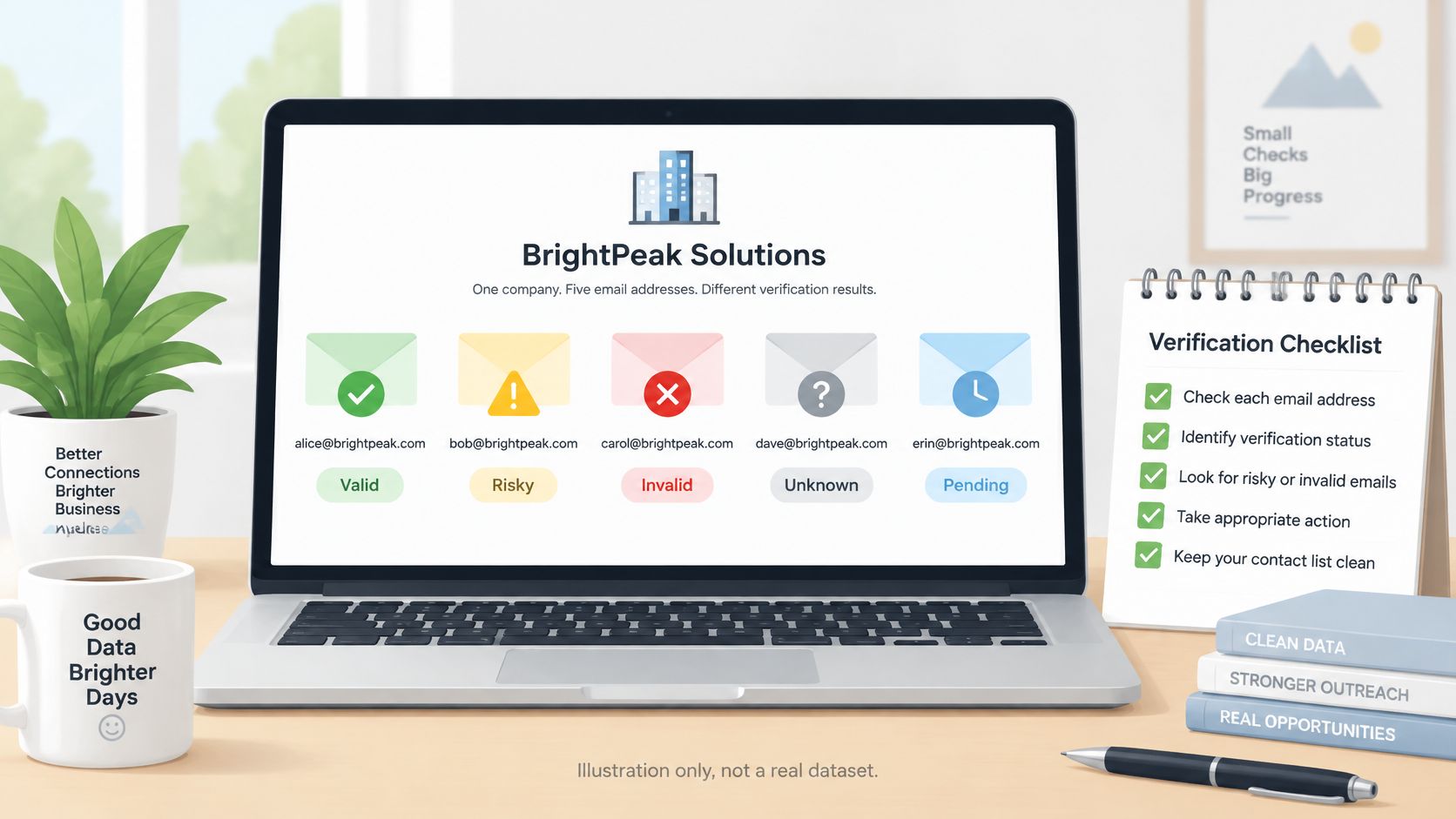
Five example contacts after verification
| Contact | Result | Action |
|---|---|---|
| [email protected] | Valid | Send through the approved queue |
| [email protected] | Risky (shared role inbox) | Exclude from personal outreach |
| Contact on old-example.net | Invalid (no mail routing) | Remove from the list |
| Contact on a catch-all domain | Catch-all | Human review before any send |
| Contact on a throwaway domain | Risky (disposable) | Exclude |
The named mailbox moves into the approved queue, subject to the team's other checks. The info@ address stays out of personal outreach because nobody has established that a particular decision-maker reads it.
The old-example.net contact is removed because the scenario assumes no usable mail routing, including no applicable fallback. The catch-all contact stays pending, and the disposable address is excluded.
What the tally actually means
In this illustration, one contact is technically clean enough to proceed. The other four require a decision, but not the same decision: removal, exclusion and human review serve different purposes.
That distinction prevents a common mistake. Deleting every non-valid result would lose the catch-all contact without resolving its uncertainty, while accepting every non-invalid result would put unsuitable records into the campaign.
A larger list needs the same separation. The verifier's output should retain its reason and check date, so the team can review exceptions without guessing what an old status meant.
The list should also be checked again just before the campaign, rather than relying only on the result recorded at import.
How Verification Protects Sender Reputation
Fewer invalid recipients mean fewer permanent delivery failures. That gives mailbox providers cleaner feedback about sending behaviour and supports more reliable delivery.
A hard bounce is a permanent failure, such as a mailbox that no longer exists. Monitoring bounce codes and removing unknown users are part of ongoing list hygiene, as described in Validity's deliverability benchmark report.
Fresh evidence matters more than repeated checking
Verification belongs at acquisition and immediately before a campaign. People leave employers, accounts close and domains change, so stored records need rechecking before reuse.
Prior bounces and complaints should remain suppressed. A later favourable verification result shouldn't return those contacts to a sending queue.
More checking isn't automatically safer. Repeated probes and test messages aren't a substitute for handling uncertainty properly.
Repeated probing, speculative test emails and treating unknown results as valid can create privacy, compliance or reputation risks. The domain-security census coverage also notes that Gmail has required SPF and DKIM for bulk senders since February 2024, showing why sender authentication must sit beside recipient verification.
Verification cannot repair every sending problem:
- Weak authentication: SPF, DKIM and DMARC need separate attention.
- Unwanted messages: Complaints and irrelevant content remain risks even with accurate addresses.
- Excessive volume: A clean list doesn't justify a sudden jump in sending.
- Weak engagement: Technical reachability says nothing about interest.
The sensible approach is conservative. Start with a small batch, inspect bounce responses and review problems before increasing volume.
If a supposedly clean segment produces unexpected failures, pause it. Investigate the reasons rather than assuming a valid label guarantees inbox placement.
Where Verification Stops and Compliance Starts
Verification answers whether an address may work. It doesn't establish whether outreach is lawful or welcome.
For UK recipients, the Information Commissioner's Office guidance on business-to-business marketing says PECR doesn't require consent for electronic marketing to limited companies and other corporate subscribers. Data-protection obligations still apply when personal data, such as an individual's name or phone number, is used.
Recipient type changes the legal question
Sole traders and some partnerships are treated as individual subscribers. Electronic marketing generally requires specific consent or a valid soft opt-in, and any consent relied on must be freely given, specific, informed and unambiguous.
That makes a company-looking address an unreliable shortcut. An address alone doesn't settle the recipient's legal category or the appropriate basis for processing personal data.
For US commercial email, the Federal Trade Commission's CAN-SPAM compliance guide requires a clear opt-out method and a valid physical postal address; the opt-out mechanism must work for at least 30 days after sending, and opt-outs must be honoured within 10 business days.
Keep technical and legal records separate
A workable contact record should distinguish:
- Verification evidence: The result, reason and date of the address check.
- Contacting basis: The relevant consent or other documented assessment for the proposed outreach.
- Suppression status: Opt-outs, complaints and prior delivery failures that prevent further sending.
- Human approval: Confirmation that the proposed message and recipient have been reviewed.
UK and US rules shouldn't be treated as a universal template for Europe or India. Campaign owners need to assess the rules applicable to the recipient and the particular use.
SignalVan keeps a human checkpoint in its process. Every first outreach message waits for the user to read, change and approve it before sending, with approval workflow controls helping keep that decision explicit.
The final question isn't merely whether the mailbox works. It's what evidence supports contacting that person, and whether the applicable rules allow that outreach.
Confirm Your List Before Your Next Campaign
A pre-send review should turn technical findings into clear actions. The following sequence keeps uncertain records out of routine sending without hiding why they were held back.
- Check syntax and DNS for every address, so obvious errors and unusable domains don't progress.
- Probe the mailbox only where permitted by the receiving server.
- Label every result as valid, invalid, catch-all, unknown or risky.
- Suppress invalid addresses and opted-out contacts, keeping suppression records intact.
- Refer catch-all and unknown contacts for human review, rather than passing them into the approved queue.
- Recheck anything older than the last campaign before reuse, preserving the latest result and check date.
For spreadsheet-based work, keep those labels and suppression fields attached during an Excel export to CSV. An export shouldn't strip away the evidence needed to make a sending decision.
Verification is part of signal-first prospecting. Buying signals, such as hiring, funding, a new appointment, a request for help on LinkedIn, company news or open tenders, suggest why a company may need help now. Timing affects whether an otherwise relevant approach has a chance of starting a conversation with potential paying customers.
SignalVan's process starts with a website, then shows ranked leads with the source and date of each signal. The user picks leads, gets the decision-maker's verified email and contact details, and approves a drafted message before sending through their own Smartlead account.
SignalVan connects buying-signal evidence with checked decision-maker emails and mobile numbers, then drafts outreach for human approval rather than automatic sending. Paste your website at signalvan.com to see who's ready to buy this week.
Keep reading

Excel Export Data: How to Keep Your Formatting Intact
Excel Export Data: How to Keep Your Formatting Intact

Marketing Software for Agencies: Top Picks for 2026
Marketing Software for Agencies: Top Picks for 2026

Lead Generation Software: 10 Tools That Find Real Buyers
Lead Generation Software: 10 Tools That Find Real Buyers
Start with your website.
See your first leads, with the reason each one is there.