

Prospects vs Leads: Key Differences and When to Use Each
Prospects vs Leads: Key Differences and When to Use Each
A lead is anyone who has shown interest or matched your targeting but has not been checked yet. A prospect is a lead that passes checks on fit, authority and timing. That sounds like a naming exercise. It isn't. Call every record a prospect and you'll spend your week writing to people with no reason to buy, no power to buy, and sometimes no legal basis to contact. Call only checked records prospects, and the list gets smaller, sharper and far easier to defend. The prospects vs leads line is a data and compliance decision, not a label you apply after the list is built.
Table of Contents
- Prospect and Lead Differences Side by Side
- Where Qualification Moves an Account Forward
- Ranking Prospects by Buying Signal
- Which Term Your Team Should Use
- Compliance Checks Before You Contact a Prospect
- Why Speed and Contact Quality Matter
- Set Up Your Stages Before the First Send
Prospect and Lead Differences Side by Side
You're looking at qualification, not contact details. A lead has shown interest, matched your targeting or appeared in a signal. A prospect has been judged likely to buy after checks on fit, interest, purchasing authority, budget and timing. The Salesforce guide to prospects versus leads makes that distinction on qualification, not on whether an email address exists. Treat a discovered company as a lead until you can explain why it matters now, who owns the decision, and what evidence supports the approach.
Public activity can move an account toward prospect status. A request for help, a hiring event, a new appointment, company news or a public tender gives you dated evidence to check. It doesn't qualify the account by itself. You still need fit and a named, relevant person.
What each record should hold
| Factor | Lead | Prospect |
|---|---|---|
| Definition | Anyone who has shown interest, matched your targeting or appeared in a signal, not yet checked | A lead judged likely to buy after checks on fit, interest, authority, budget and timing |
| Main question | Could this person or account be relevant? | Is this account or person worth approaching now? |
| What qualifies it | Interest, a profile match or a public signal | Fit plus a dated buying signal and a reason to act |
| What the record holds | Company, source of the signal, date if saved | Ranked reason, named decision-maker, verified contact status and owner |
| Next action | Review and rank | Approve outreach after checks |
| Compliance state | Observed signal, no contact details used | Contact details checked for lawful basis and opt-out |
Sources and tools don't all use these terms the same way. Some reverse the order and call an unchecked target a prospect. That's workable inside one team, but it breaks reporting the moment marketing, sales and an agency share a list. Pick one order, write it down, and build your stages to match it.
Few early records become paying customers, so agree your stage definitions before you build a list of buying signals.
If you cannot say why an account matters now, it is still a lead.
Keep that rule visible in your CRM. A record earns prospect status when the reason, source, date, decision-maker and next action are all present. Until then, it's a research item. Ranking it highly doesn't change that.
Where Qualification Moves an Account Forward
Take 100,000 website visitors. A compiled benchmark cited in Shno's lead quality statistics reports approximate stage conversion rates of 2.3% from website visitor to lead, 31% from lead to marketing-qualified lead, 13% from marketing-qualified lead to sales-qualified lead, 30% to 59% from sales-qualified lead to opportunity, and 22% to 30% from opportunity to customer. Apply those rates as a worked example and you get about 2,300 leads, 713 marketing-qualified leads, roughly 93 sales-qualified leads, about 41 opportunities and about 10 customers if one in four opportunities closes. Treat them as planning averages for your market, not as a promise.
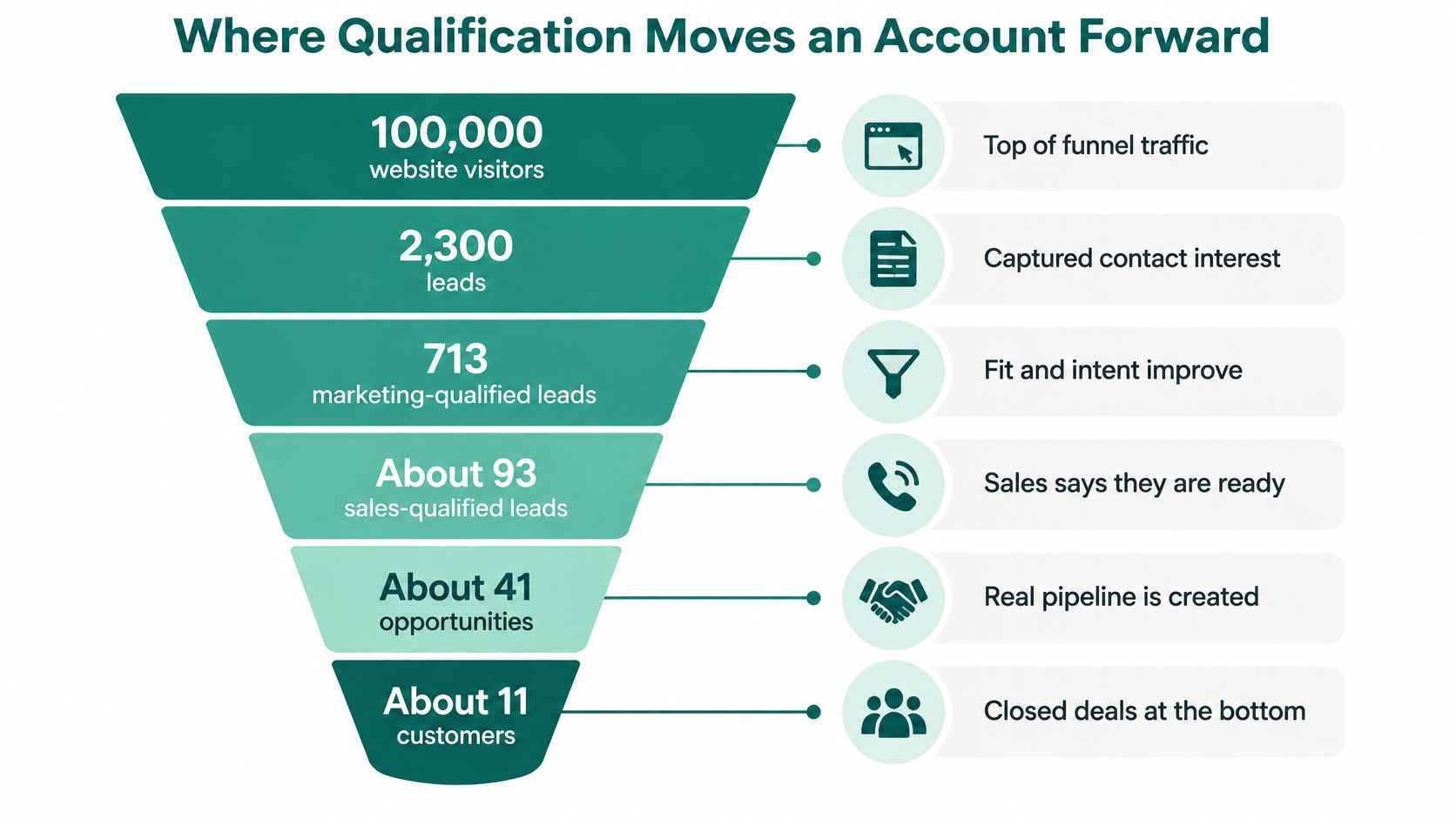
| Stage | Benchmark conversion | Illustrative count |
|---|---|---|
| Website visitor to lead | 2.3% | about 2,300 |
| Lead to marketing-qualified lead | 31% | about 713 |
| Marketing-qualified to sales-qualified lead | 13% | about 93 |
| Sales-qualified lead to opportunity | 30%-59% | about 41 at the 44.5% midpoint |
| Opportunity to customer | 22%-30% | about 10 at a 25% close rate |
The checks that move a record
A long list is not a pipeline. An account moves forward when the record gains usable evidence: what changed, when it happened, whether the contact status is usable, and whether consent and opt-out state permit outreach. Keep those fields visible, because they turn the prospect-lead line into a data and compliance decision.
Each check answers a different question. Fit asks whether the company matches the customers you can serve. Interest asks whether there is evidence of a current problem. Authority asks whether the person can buy or block the purchase. Budget and timing ask whether a purchase is possible in a useful window.
Don't collapse those into one score you can't explain. Keep the reason on the record, and decide who the decision-makers are before you treat the account as sales-ready. In SignalVan, leads can be grouped into All, Ready to approach, Strong match, Keen leads to explore, Partners and Also found, with the ready ones on top. Only the Ready to approach group maps cleanly to prospects; the rest stay in the lead pool until they pass your checks.
Equal effort on 2,300 leads pushes most outreach before qualification. Concentrate on the smaller checked set and your time shifts to accounts with evidence of need. Run a simple check this week: count records at each stage for the last month, compare the ratios with the table, and find where records stall. If almost everything sits at lead stage, your qualification step is missing, whatever the stage is called.
Ranking Prospects by Buying Signal
Rank accounts by dated evidence of need, not by profile match alone. That's the core of signal-first prospecting. A buying signal is a public event that suggests a possible need, such as a request for recommendations, a hiring push or an open tender. It tells you where to look first. It doesn't tell you the account will buy, and it isn't agreement to be contacted.
Five signals worth checking first
| Signal | What it suggests | Where it shows up | Check before you approach |
|---|---|---|---|
| Job post for the role you sell to | A team is hiring for the problem you solve | Job boards and company careers pages | The role is still open and matches your buyer |
| Funding round | New money may be available for tools or hires | Company news | The announcement date on the record |
| Request for recommendations | A need that has been raised in public | LinkedIn posts and comments | The post date and whether the author is the buyer |
| New decision-maker | A new owner for the buying decision | Company news and LinkedIn | The start date saved on the record, or a note that it is unknown |
| Public tender | A formal purchase process is open | Company registers and public tenders | The closing date and whether the scope fits your offer |
The wider sources matter too. Leads come from public sources including LinkedIn, job boards, company news, registers and tenders, with the source shown on every row. They also include people who react to or comment on LinkedIn posts by creators in your space and by your competitors. Those reactions are weaker than an explicit request for help, so don't rank them as equal.
Each new lead arrives with the reason it matters now. Each lead shows its buying signal with the source and the date it happened. If a date wasn't saved, the lead says so instead of guessing. That honesty matters, because an undated signal can't support a timing claim in your message.
Use a plain ranking rule. A specific, recent signal from someone with buying authority outranks a generic profile match. A company-wide event with no named buyer sits below both. For the ranking logic behind that order, see how prospect rankings work.
Timing is urgent because buyers decide early. In 2024, 81% of B2B buyers surveyed by 6sense had already selected a preferred vendor before speaking with a sales representative, according to 6sense's B2B buyer journey research. In 2024, 57% of B2B buyers surveyed by HubSpot purchased a tool without meeting the vendor's sales team, according to HubSpot's B2B buyer research.
Sort by signal strength. Open the top ten records and check each signal date before you write a first message.
Which Term Your Team Should Use
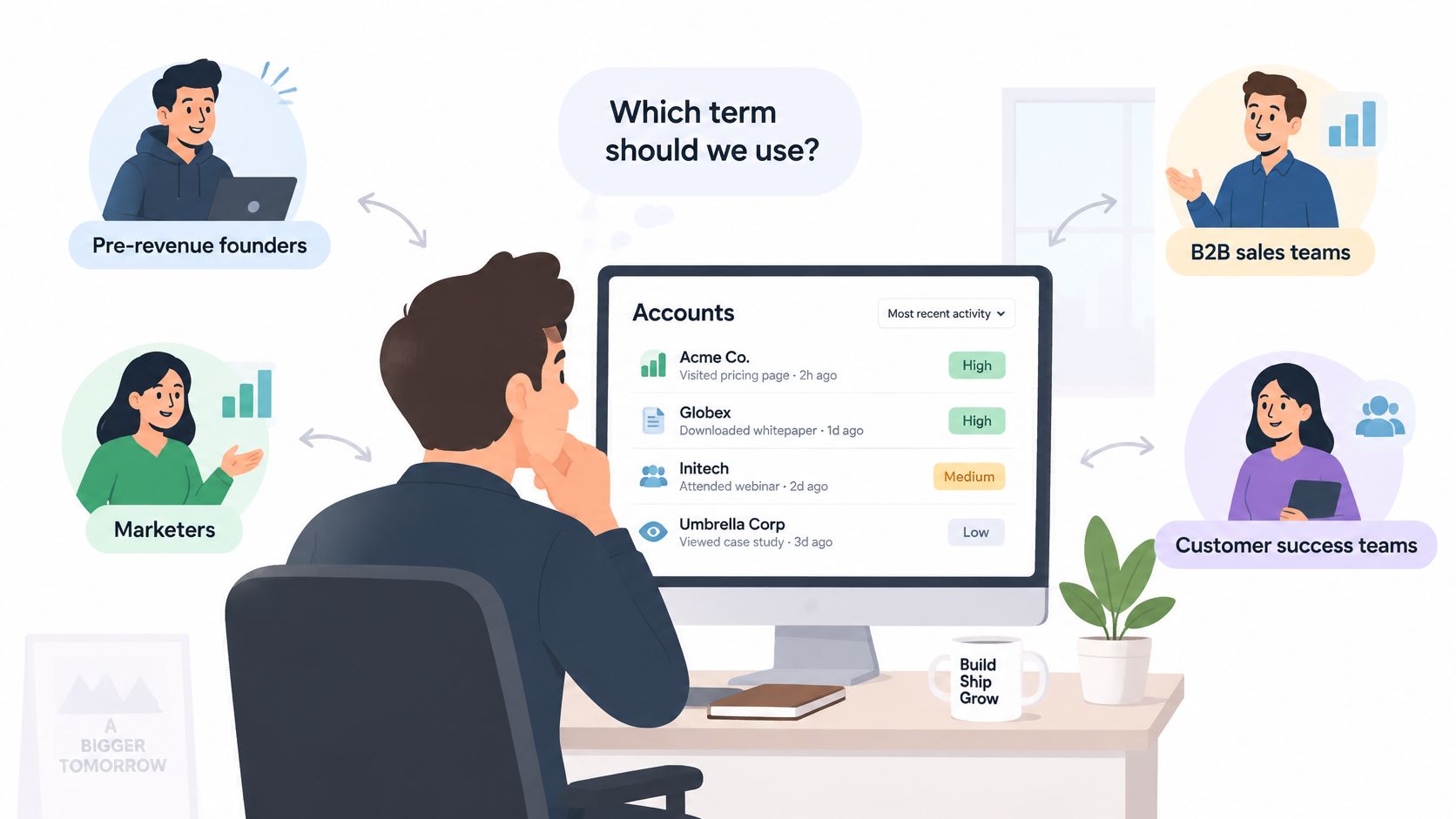
Say a founder has no paying customers yet and time for ten serious conversations this week. A list of hundreds of unchecked leads doesn't help. A short, ranked list of accounts with recent buying signals does. Your stage names should serve that decision, not impress anyone in a pipeline report.
What different teams actually need
- Pre-revenue founders: A short ranked list of accounts with recent signals, a named buyer and a clear reason to write today.
- Lead-generation agencies: Separate lists per client. An account can hold as many websites as you need, and each website has its own leads, knowledge and campaigns.
- Small sales teams: One owner per record and stage definitions everyone applies the same way, so handoffs don't reset the qualification work.
- Revenue operations teams: Visible contact status, enrichment history and suppression state on every record, because they own the errors everyone else creates.
Most definitions treat lead and prospect as labels for individuals. B2B buying doesn't work that way. Recent buyer research reported in 6sense's guide to changing B2B buyer research puts the average buying group at 10.1 people, with 5.1 vendors evaluated and 16 interactions with the winning vendor, while only 3% of website visitors identify themselves through forms. Several people from one company can show different signals in the same week.
Account rule: Count the account once. Group its people, then decide who gets approached and in what order.
Don't send near-identical messages to four employees because each one appeared as a separate lead. When you run several ways of finding leads at once, duplicates are merged so each person appears once with every signal that found them. Create separate person records for buyers with different roles. Keep one account record for shared evidence, shared objections and the overall stage.
Separate fit from intent in that account view. A perfect profile match with no current signal is a lead worth watching. A weaker individual contact inside an active buying group may be the person who opens the door. Weight recency and role. A dated request from the budget holder should move the whole account up, even if other contacts at that company have done nothing.
Compliance Checks Before You Contact a Prospect
A relevant prospect with a fresh signal is not automatically contactable. In the UK, the UK government marketing and advertising guidance explains that Regulation 22 of the Privacy and Electronic Communications Regulations generally prohibits unsolicited direct-marketing email unless the recipient has previously consented. Relevance improves your message. It doesn't remove that obligation.
The soft opt-in is narrow. It can apply where contact details were collected during a sale or negotiations, the message promotes your own similar products or services, and the recipient was given a clear opt-out both when the details were collected and in every later message. Don't stretch it to cover a scraped list or a public signal. It doesn't.
Checks to run before any send
- Source of details: Confirm where the contact details came from and keep that source on the record.
- Sender identity: Identify the sender clearly in every commercial email. Don't hide behind a platform or agency name.
- Opt-out route: Provide a valid address for stopping further messages, and make sure it works.
- Objections: Record every objection or unsubscribe against the contact and respect it in future campaigns.
Treat any objection as final for marketing, even if the account later shows hiring, funding or a new appointment. A new signal refreshes your research. It doesn't reset a person's rights. Keep suppression status beside the contact details, not in a separate spreadsheet nobody checks.
For EU contacts, legitimate interest isn't an exemption. It needs a documented balancing test covering necessity and the individual's rights, and where applicable you must tell the person where you obtained their details by the first communication. For US contacts, CAN-SPAM requires a valid postal address and a working opt-out honoured within the legal window. Rules differ by market and channel, so get advice from a qualified adviser for your own situation.
A verified email confirms that an address appears deliverable. It does not prove consent.
Control helps here. Nothing is sent until you approve the campaign and then approve sending, and it only goes out through your own Smartlead. Outreach is sent only through your own Smartlead account, and only after two approvals, one to build the campaign and one to start sending. Use that pause to check lawful basis, sender identity and suppression before the first message leaves.
Why Speed and Contact Quality Matter
Speed matters once a lead is engaged. A Harvard Business Review analysis of 2,241 U.S. companies, cited in Vida's speed-to-lead summary, found that organisations responding within one hour were nearly seven times more likely to qualify a lead than those waiting an additional hour, and more than 60 times more likely than organisations waiting at least 24 hours. That finding applies to someone who has replied or shown interest. It doesn't mean you should rush unqualified prospects to hit an arbitrary clock.
Separate your service levels. Rank prospect signals continuously, at a pace your team can review properly. Trigger an immediate owner task when a prospect becomes an engaged lead. Measure median and 90th-percentile time to first touch, qualification rate by response-time bucket, and qualified opportunities per 100 discovered prospects. Those numbers stop a large pool being mistaken for pipeline.
Contact status keeps the list honest
Each lead has a Find work email option and a Valid or Up to date status for its contact details. Verified contact details are only revealed for the leads you pick, so you never pay for a name you won't use. That reveal step is a commitment point, so put it after qualification, not before.
Keep uncertain results labelled. Catch-all, unknown and doubtful outcomes should stay separate from confirmed contacts. Merge them into one verified bucket and your deliverability and qualification figures inflate, then your next campaign inherits bad addresses and a damaged sender reputation. For the detail behind that labelling, see how email address verifications work.
Route high-intent signals ahead of weaker matches. An explicit request for help, relevant hiring or a new decision-maker appointment deserves review before a generic directory listing. But review still comes first. Open the record, read the evidence, check the contact status, then decide.
Apply one simple rule across the team. Contact engaged leads quickly. Prioritise verified contacts that also carry a current signal. If a record has neither, it stays in research until it earns its way forward.
Set Up Your Stages Before the First Send
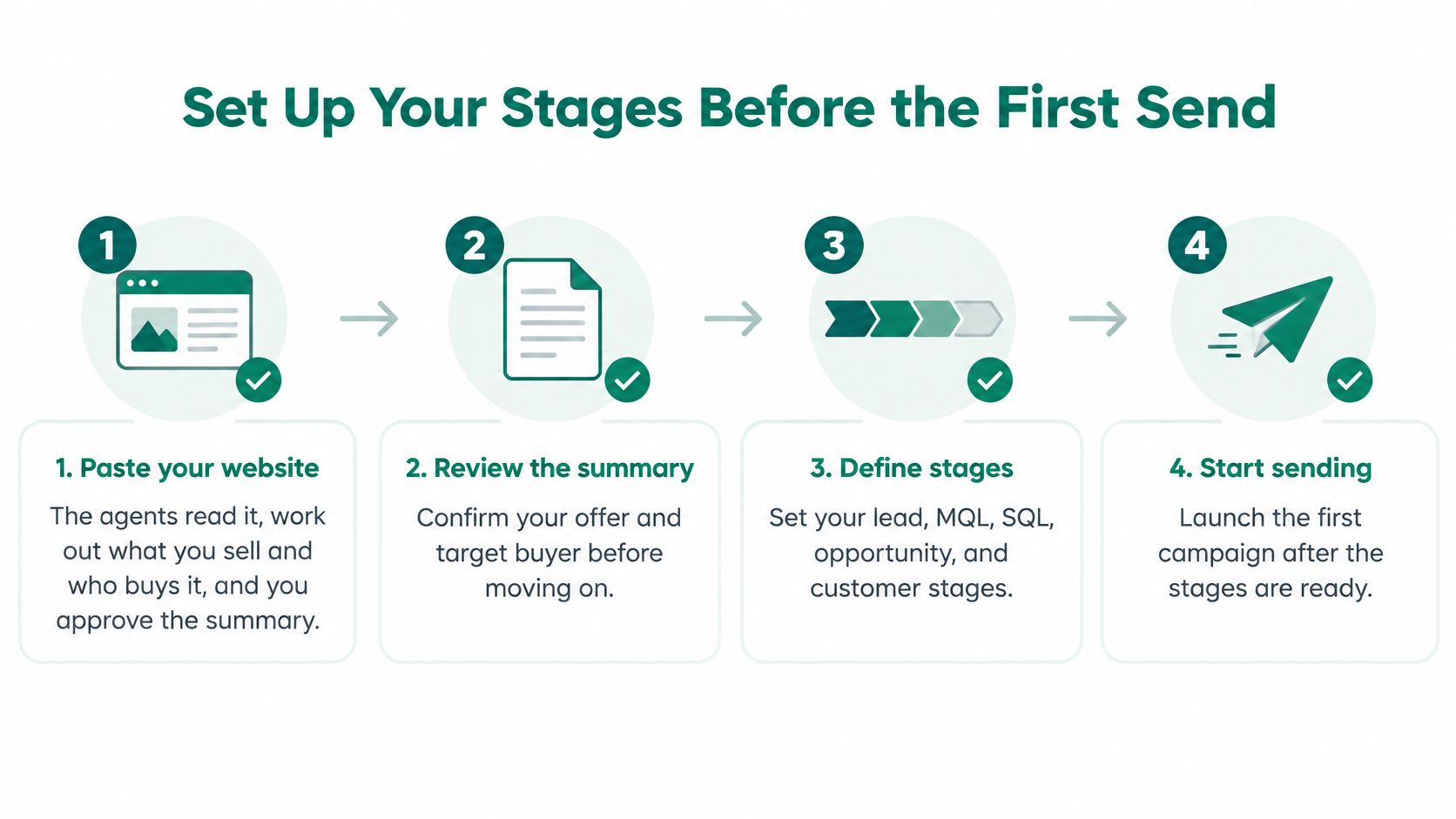
- Paste your website. Setup is pasting your website: the agents read it, work out what you sell and who buys it, and you approve the summary, with no forms, ICP worksheets or onboarding call.
- Review the ranked records. Each one shows its reason, signal source and signal date, grouped from Ready to approach down to Also found.
- Confirm your stage rules. A record becomes a prospect only when it passes your fit, authority and timing checks.
- Check the credit estimate. Before a lead search starts, you see about how many credits it will use.
- Reveal contact details selectively. Select only the leads you'll contact and reveal their verified email and mobile details.
- Approve twice. Review the drafted message, approve the campaign, then approve sending through your own Smartlead account.
- Record objections. Add every objection to your suppression list before the next campaign starts.
Confirm your stage definitions before you approve the first campaign. Paste your website at signalvan.com to see who's ready to buy this week.
SignalVan ranks companies by dated buying signals, shows the source behind each record, and reveals verified decision-maker contact details only for the leads you pick, so your prospects stay distinct from your wider lead pool. Drafts wait for your approval and send through your own Smartlead account. Visit SignalVan and paste your website to see which accounts are worth approaching first.
Keep reading

Excel Export Data: How to Keep Your Formatting Intact
Excel Export Data: How to Keep Your Formatting Intact

Marketing Software for Agencies: Top Picks for 2026
Marketing Software for Agencies: Top Picks for 2026

Lead Generation Software: 10 Tools That Find Real Buyers
Lead Generation Software: 10 Tools That Find Real Buyers
Start with your website.
See your first leads, with the reason each one is there.