

How Much Is Been Verified? Plans and Pricing Factors
How Much Is Been Verified? Plans and Pricing Factors

BeenVerified has no single price to quote. What you pay depends on the plan, the billing period and how many searches you run.
A low monthly figure can still be the expensive choice. Leave it running after a short burst of lookups and you pay for months you never search. A result from last year can cost you again too, because a contact record is not a permanent asset. Confirm every current rate on BeenVerified's pricing page before you compare anything. This guide will not print a competitor's rate. Those numbers move, and a copied price is how people overpay.
Table of Contents
- The Short Answer on BeenVerified Pricing
- How Billing Models Compare on Total Cost
- Four Factors Beyond the Billing Model
- What Verified Means for Your Price
- Estimate Your Own Cost Step by Step
- Confirm the Price Before You Commit
The Short Answer on BeenVerified Pricing
There is no single BeenVerified price worth quoting. How much is BeenVerified comes down to the plan you pick, the billing period, how many searches or reports you buy, and whether extras sit on top. Two people on the same service can finish the year with very different totals.
Say one person buys a monthly plan, runs a week of searches, and forgets to cancel. That person pays for every later month the plan stays live. Another person takes a yearly plan, uses it steadily, and stops at renewal. Same brand, different bill. The headline rate did not decide the gap. How long the plan stayed on did.
Answer three questions before you read any price.
- What you need to find. A name, a phone, an address and a work history are not the same product. Buy the lookup you will use.
- How often you will search. A handful of checks a year and a weekly habit should not share a billing model.
- How long you will keep it. A week, a quarter and a full year produce three different totals even when the monthly line looks identical.
On the pricing page, read four things and ignore the rest until those are clear: the plan name, what it includes, the billing period and the renewal date. If any of those is missing at checkout, do not pay yet.
Write this down first: your expected number of searches per month. Keep that figure beside the pricing page while you read. A plan that looks cheap against a blank notebook is how overpaying starts.
How Billing Models Compare on Total Cost
Four common structures decide the twelve-month bill. The cheapest one is the one that matches how often you search, not the one with the smallest number on the advert.
| Billing model | How you pay | Total cost moves with | Suits |
|---|---|---|---|
| Monthly subscription | Fixed fee each month, often renews automatically | Months kept active and plan tier | Regular, ongoing checks |
| Annual subscription | One upfront fee covering a year | Whether you use the plan all year | Steady use with a fixed budget |
| Pay per search or report | Pay each time you run a check | Number of checks run | Occasional, one-off lookups |
| Credit pack | Buy credits, then spend them per lookup | Credits used per search | Variable use or shared access |
A monthly subscription is a fixed fee that often renews on its own. The total grows with every month you leave it active and with the tier you chose. It suits regular checks. It punishes a short project you forget to switch off.
An annual subscription takes one upfront fee for a year. That only lowers your cost per month if you use the access all year. Pay for twelve months and search in two, and the "saving" was a larger cheque for idle time.
Pay per search or report charges each time you run a check. The total grows with the number of checks, nothing else. That suits occasional, one-off lookups. It gets costly only when the checks pile up.
A credit pack means you buy credits and spend them on lookups. Unused credits sit there until someone uses them, so this suits variable use or several people sharing one pot. Watch the expiry and the cost of each credit, or a shared pack becomes a quiet leak.
Think of a gym. A membership makes sense for someone who goes every week. Paying per visit suits someone who goes twice a year. Nobody sensible buys the annual gym fee for two sessions, and nobody who trains weekly should pay the door price every time.
If you expect only a few checks a year, put pay-per-search next to one month of subscription and take the smaller twelve-month figure. Frequency picks the winner. The headline rate does not.
Four Factors Beyond the Billing Model
The table shows how you are billed. It does not show what else lands on the receipt. Four levers sit outside the model. Check each one before you treat a quoted fee as your cost.
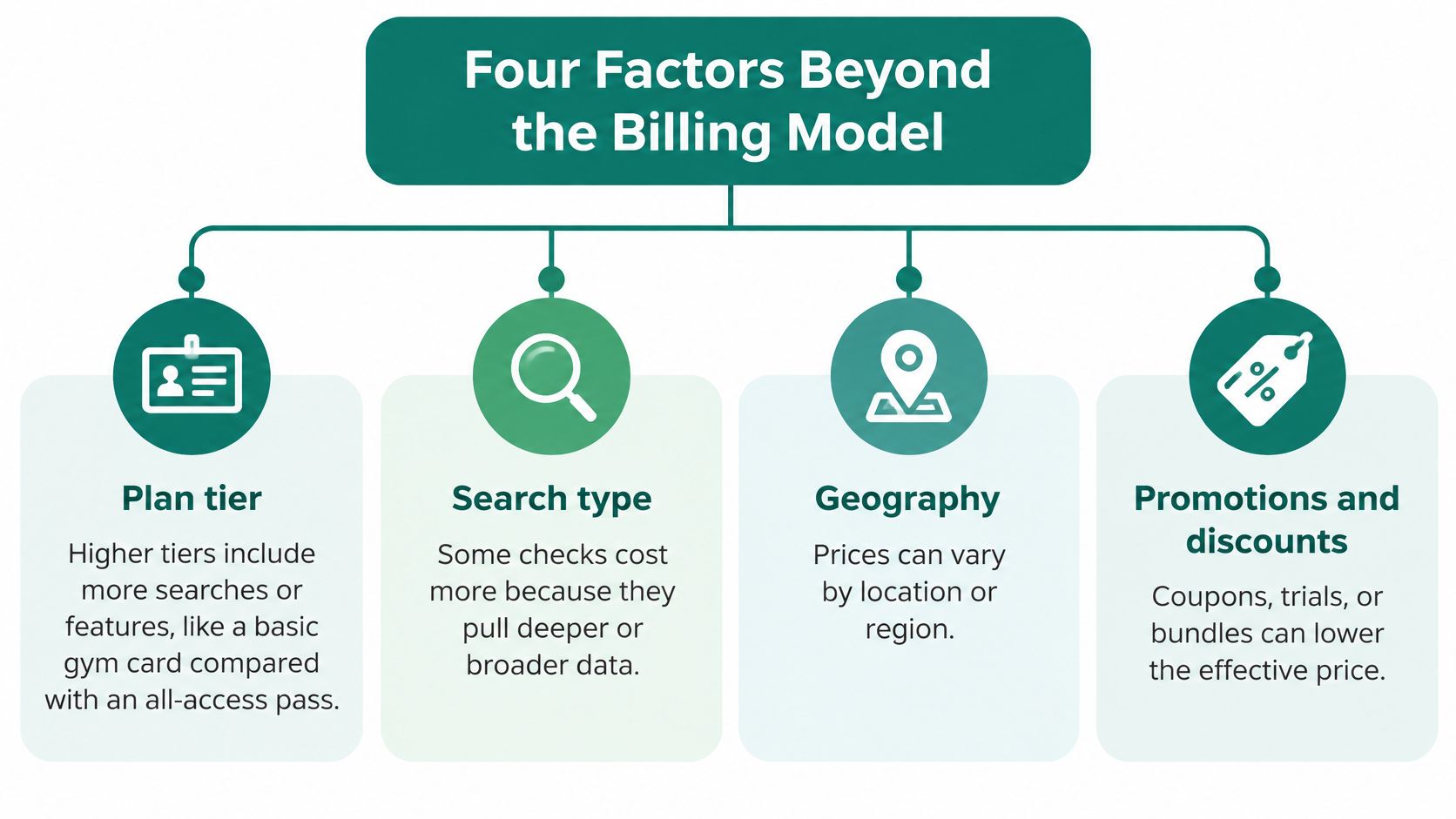
Plan tier
Higher tiers include more searches or more features. A basic gym card and an all-access pass are not the same product, even when both say "membership". Open the tier list and mark the fields you need. If the cheaper tier already includes them, the higher tier is a feature you will not use. Compare rates only after that mark is made.
Extras
Reports, alerts and monitoring often sit as separate line items. Ask, for each one, whether it is included or charged on top. An alert that looks helpful at signup becomes a second subscription if it bills on its own. Add every extra you will keep to the yearly total before you call a plan cheap.
Checkout costs
Taxes, VAT and currency conversion change the amount that leaves your account. That matters if you pay from the UK, Europe or India against a price shown in another currency. Compare the final checkout total, not the advertised rate. A plan that wins on the advert can lose once tax and conversion are on the same line.
Repeat use
Going back to the same person later is another lookup, and another lookup is another charge. Note how many repeat checks you expect in the year. A database you trust for months still needs a fresh look before you spend outreach time on it. Budget the second check now, or the first check was only half the job.
Keep a one-page worksheet. Give each lever its own line: tier, extras, checkout additions, repeat checks. Beside each line, write what it adds to your total. If you cannot fill a line, you do not know the price yet.
What Verified Means for Your Price
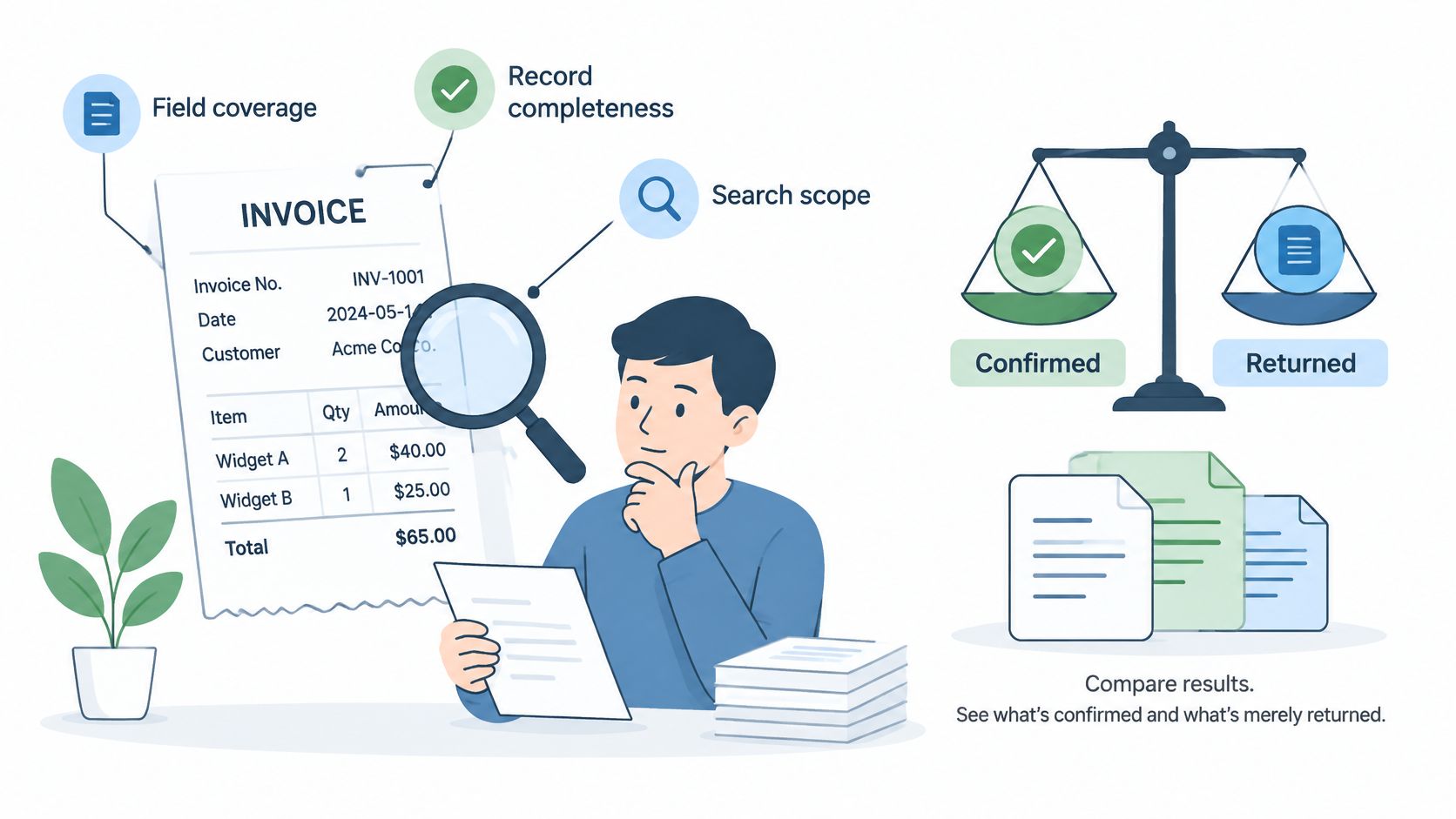
Price should follow what is confirmed, not how many records come back. Verified is not one thing. Public benchmarks often squash different measures into a single accuracy percentage, and that single number is how buyers overpay for a file they cannot use.
Split the score before you pay for it.
- Field coverage: is the value even there.
- Correctness when present: is that value right.
- Email deliverability: will the mailbox accept mail.
- Current job title and employer: is the person still in that seat.
- Phone reachability: does the number still connect to them.
- Legal permission: are you allowed to use the record for outreach.
Then add end-to-end usable yield: the share of eligible people with a value that is both independently confirmed correct and permitted for use. A valid mailbox with an old job title is not a usable lead. A current decision-maker with no lawful basis for contact is not one either. Providers claiming 90–98% accuracy reportedly deliver only 70–85% on real, non-curated contact lists, according to Modern Leads' 2026 accuracy write-up. Pay for the lower band unless someone shows you the yield, not the slogan.
Why last year's check is not this year's budget
Verification is not a permanent property. One 2026 analysis of more than 50 million contacts across 185 countries estimated annual inaccuracy growth of 22 to 25 per cent, which implies an untouched database may be only about 78 per cent accurate after 12 months, in the ELP Data 2026 accuracy report. A separate 2026 benchmark in that same report found that 12.25 per cent of US sales leaders changed roles within 12 months. Job titles decay on a different clock from email deliverability. "Verified yesterday" only means something when you name the field, the market and the evidence.
A check from last year needs repeating before you rely on it. Put that re-check in the budget. Skipping it is how a cheap file becomes a year of bad timing and wasted sends.
Contactability is not permission. During fiscal year 2025 the FTC National Do Not Call Registry Data Book recorded more than 258 million active telephone-number registrations, and the FTC received over 2.6 million consumer complaints about unwanted calls. A large pool of numbers does not prove a person is reachable, interested or appropriate to contact. The FTC also notes those complaints are unverified consumer submissions, not a representative survey. Treat a plausible signal as a signal. Do not treat it as confirmed evidence.
A scorecard you can actually use
Before you accept a "verified" label, write five lines: which field, checked against what, on what date, what remains unresolved, and under which jurisdiction's rules. If the vendor cannot fill those lines, you are buying a badge.
For finding paying customers, signal-first prospecting ties each contact to a dated buying signal and labels catch-all or unknown results instead of calling them a verified email. You pay for a confirmed field with a date. You do not pay a premium for a row that only looks complete.
Estimate Your Own Cost Step by Step
Do the arithmetic yourself. Any number below that is not on the pricing page in front of you is a placeholder, not BeenVerified's rate.
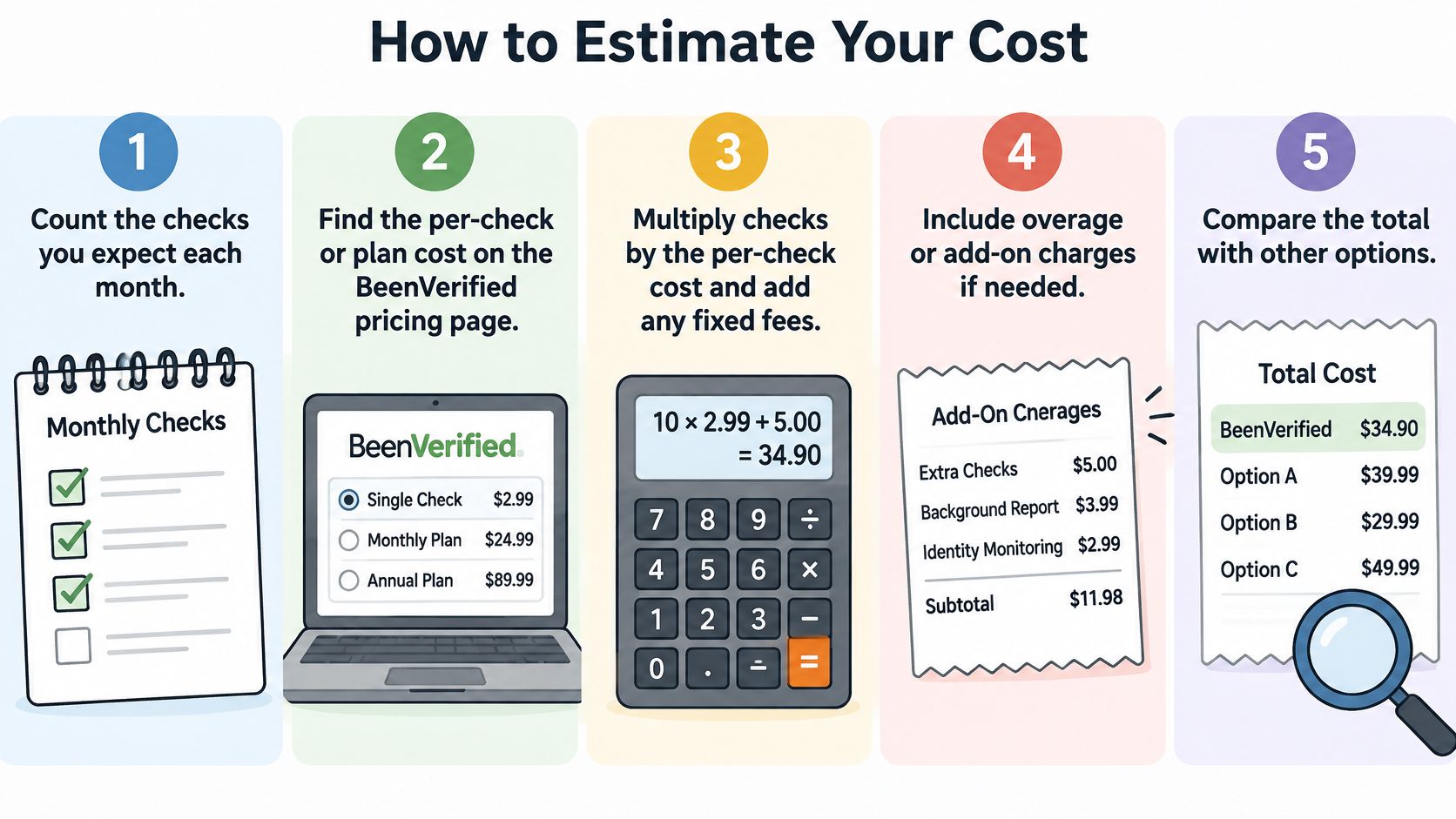
- Count the checks you expect each month. Use last quarter if you have it. If you don't, write a ceiling you would be annoyed to exceed.
- Find the per-check or plan cost on the BeenVerified pricing page. Copy the figure. Do not remember it.
- Multiply checks by the per-check cost and add any fixed subscription fee. That is one month.
- Build both twelve-month totals. Monthly fee times 12, against the annual fee, and add extras from the tier, tax and repeat-check lines.
- Add a buffer for re-checks. Records go out of date. The buffer is extra checks you choose to fund, not a vague percentage.
| Line | What to enter | Where it comes from |
|---|---|---|
| Checks per month | Your count from step 1 | Your own estimate |
| Cost per check | Per-check rate | BeenVerified pricing page |
| Subscription fee | Monthly or annual fee | BeenVerified pricing page |
| Pay-per-search twelve-month total | Checks per month × 12 × cost per check | Calculated |
| Subscription twelve-month total | Fee × 12 for monthly, or the annual fee | Calculated |
| Re-check buffer | Extra checks you choose to budget | Your estimate |
An occasional user
Say you run six checks in the whole year, so checks per month is 0.5. Suppose the page you are looking at lists a per-check cost of C and a monthly plan of M. Pay-per-search for the year is 0.5 × 12 × C, which is 6C. The subscription, if you leave it on, is 12M. Add a re-check buffer of two extra lookups, so 8C against 12M. For a few checks a year, pay-per-search is the one to beat. Only keep the subscription if 12M plus extras is smaller than 8C after tax.
A small team on a weekly habit
Say the team runs eight checks a week, about 32 a month. The pay-per-search year is 32 × 12 × C, which is 384C, plus whatever re-check buffer you set. The subscription year is 12M, or the annual fee if that is what the page offers. A steady subscription is easier to budget when 12M is close to or below 384C and someone will search every week. If the team goes quiet for a month, the monthly plan keeps charging. Cancel it or switch that month to pay-per-search.
Fill the worksheet twice, once per option. Compare the two twelve-month totals, buffer included. Pick the smaller number that still covers the checks you will really run.
When you are searching companies rather than buying one-off person reports, set a ceiling before the search starts. On SignalVan you see about how many credits a lead search will use before it starts, credits a search does not use are not charged, and you can set a maximum so the search stops at that limit with the results it has found.
Confirm the Price Before You Commit
Do not pay from memory. Run this checklist on the day you subscribe.
- Confirm current rates on the pricing page. They change. A screenshot from last month is not a quote.
- Note the plan name, the billing period, what is included and any extras. If an alert or extra report is not in that note, assume it costs more.
- Check the renewal date, the cancellation route and the refund terms before you pay. A plan you cannot cancel in one sitting is a plan that will bill you after you have stopped searching.
- Put your twelve-month worksheet figure next to each option. Choose the model that fits that number, not the one with the friendliest monthly line.
If you prospect companies rather than look up private individuals, a person-search subscription is the wrong product for finding paying customers. SignalVan finds companies showing buying signals such as hiring, funding, new people in role, LinkedIn questions, news and open tenders, then verifies the decision-maker's email and mobile and drafts the first message. You approve every message and send it through your own Smartlead account. Nothing goes out until you send it.
Starting is free with no card required, and the first ranked list is ready in under five minutes. Searches are free, and you pay only for the contacts you choose. Verified contact details are revealed only for the leads you pick, so you never pay for a name you will not use. Run a short test list first. See which leads show a current signal and a verified email before you spend on the rest. That keeps the timing of your outreach under your control.
Paste your website at signalvan.com to see who's ready to buy this week.
SignalVan ranks companies that are already showing a public buying signal, then checks the decision-maker's email and mobile only for the leads you pick. That is a better spend than renewing a person-search plan for records that went stale last year. Visit SignalVan and paste your website to see who is ready to buy this week.
Keep reading
B2B Sales Email Templates: 7 Signal-Based Examples
B2B Sales Email Templates: 7 Signal-Based Examples

Sales Operations Management: What It Does for Revenue
Sales Operations Management: What It Does for Revenue

Ideal Customer Profile: What to Write First
Ideal Customer Profile: What to Write First
Start with your website.
See your first leads, with the reason each one is there.